
Using Pict Encrypt for steganography purposes on Mac OS X
Steganography is the art and science of writing hidden messages in such a way that no one apart from the intended recipient knows of the existence of the message. Pict Encrypt 2.0 (developed by Pariahware) is very easy to use freeware application using which you can hide your text in any image you want in just a couple of clicks.
The graphical user interface is very straightforward. Upon opening the software you have two options – encrypt and decrypt. There is a slight bug with the navigation buttons that can cause the back and forward icons in the lower right part of the interface to change their appearance. The first time you start the software you will see a question mark and a lock icons which will act as back and forward keys. If you open the same initial screen via File – > New, the icons will look much better and more self explanatory.

Now you need to chose an image file that will be used for hiding purposes. You can use MacPICT, GIF, JPEG, PNG, or TIFF picture formats.

After chosing the file, you need to enter the text. Altough the software has a copy/paste menu, unfortunately the pasting option doesn’t work. This is quite bad, because in the majority of situations users would paste in their documents, emails or existing confidential data.
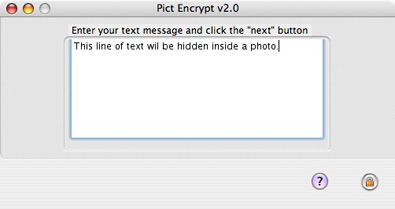
The encryption key must be entered and later shared along with the photo with the party that will decrypt your hidden text.

Saving the image is the last part of the encryption process.
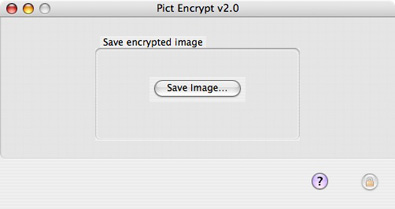
Both the original diner.jpg and diner2.jpg look absolutely the same – this is the newly created image that has secret text hidden inside.

Using the diff utility and checking the file size will show you the obvious difference in the two files.
HNS$ diff dinner.jpg dinner2.jpg
Binary files dinner.jpg and dinner2.jpg differ
HNS$ ls -al dinner*
-rw-r–r– 1 HNS HNS 177323 Sep 14 12:16 dinner.jpg
-rw-r–r– 1 HNS HNS 931864 Sep 14 12:26 dinner2.jpg
The decrypting phase is pretty much similar to the encryption procedure. You need to chose “decrypt” and open the image containing the hidden text. Btw, do check out the difference in the back/forward buttons I mentioned earlier.

Enter the decryption key shared to you by the person that used steganography in the first place

If you entered the right key, the hidden text will be shown.
