
Using the PuTTY SSH Client on Nokia Series 60 Phones
While doing a regular checkup on Slashdot, I’ve came across a new product announcement concerning PuTTY being ported to Nokia Series 60. If you are not familiar with PuTTY, it is the best freely available SSH client for the Windows platform (it is also available for Unix).
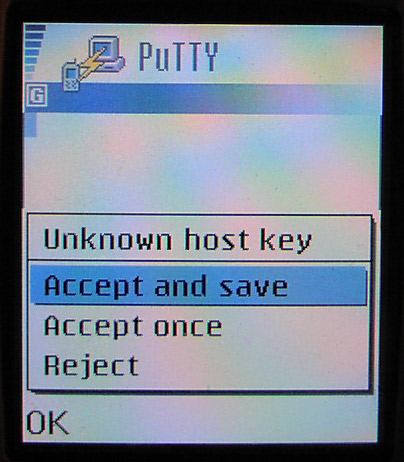
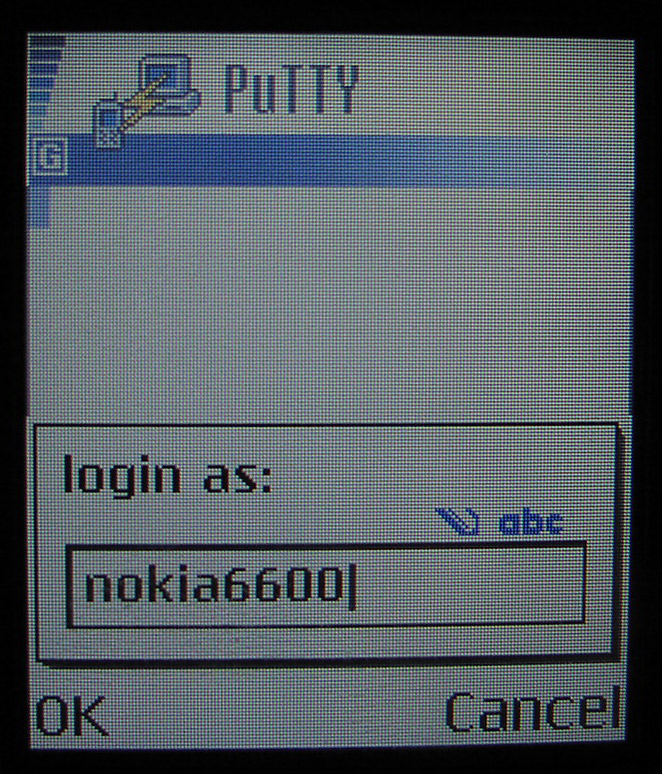
As I’m a Nokia user for almost 5 years now, I’ve instantly downloaded the software and installed it on my Nokia 6600 cellular phone. I must note that this version (1.3) of PuTTY for Series 60 is in its fourth beta, so I won’t go into details with the product’s pros and cons, but rather share some initial usage information accompanied with a couple of screenshots and a simple bug report.
Installation and usage
I’ve used the Nokia PC Suite for installing the program (PuTTY_s60_1.3beta4.sis) and everything went like a charm – after clicking a couple of OK and next buttons, the package was successfully installed. The readme file states that the package wasn’t digitally signed because some troubles with installing new certificates to a Series 60 device, but the author noted that all of the official releases are PGP signed. Check the readme.txt file situated in PuTTY’s zip file for the appropriate public key information.
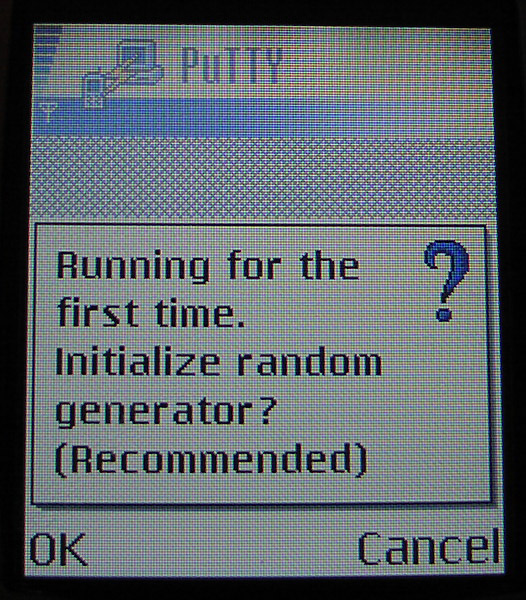
After the install process is finalized you should restart your Nokia device. This is done in order to make the new monospaced fonts working properly. The PuTTY executable can be found on the bottom of your Menu folder. While starting it for the first time, the product will record a few seconds of audio from your internal microphone. This is done for the purposes of creating a pool of random data to be used for random number generator seed. The GUI is so simple, but on the other hand it provides all the configuration settings mobile SSH client users need to use.
 |
 |
 |
 |
 |
 |
The main configuration options
Connection: This option offers the user to setup a host and port he/she will connect to and to define SSH protocol version. It is important to note that this version of PuTTY uses SSH 1 as a default, as a security precaution you should change that. You can chose from version 1 only or preferred, and version 2 only or preferred.
Authentication: Users have the option to choose username or a private key file located on the phone.
Logging: There are two options for this setup – Log type (user can chose between no logging, text only logging, all traffic and SSH data & debug logging) and Log filename that should be used.
Screen Configuration: PuTTY offers options to toggle on/of full screen and to inverse screen. Besides these useful functions, users can setup font size. There are 6 font options for everyone’s viewing pleasure (6, 7, 8, 9, 10 and 12 pixel fonts).
After connecting to the server it is quite easy to navigate through PuTTY. On Nokia 6600, it’s intended to use two menu buttons and the central joystick. The left menu button offers us the product’s options and the joystick is used as an enter button. You’ll need about a minute to get comfortable with PuTTY’s GUI as it is pretty straightforward. With the use of a sub-menu accessed with a left button, you can send different inputs to the server – line
The screen and fonts look very nice and all together PuTTY creates a good command line experience for the mobile user.
Initial bug report
I’ve mentioned earlier that this is a beta 4 of version 1.3 of this product. As always, with beta releases we often encounter some problems. These are some of the bugs I’ve came across:
- After setting your host and port in the Connection tab and restarting PuTTY, these settings are removed, making this portion of the configuration irrelevant (if in any strange case this was done with a purpose, it would be nice to have an option for saving some server/user information)
- After disconnecting from a server, user cannot reconnect to the server or to any other server without restarting PuTTY (the connection bar shows an empty field)
- Logging function didn’t work for me. I’ve tried setting up a different log file in both Phone memory, as well as on the memory card, but without any luck.
Final thoughts
In a movie critic’s manner I give two thumbs up to PuTTY for Series 60. I surely hope that all the bugs will soon be fixed and that a full release will soon hit the Internet. It was a time for a product like this and I surely hope someone will develop PuTTY for Windows Mobile 2003 in the near future.
 |
 |